
Raymarine Augmented Reality Pack – CAM300 Camera and the AR200
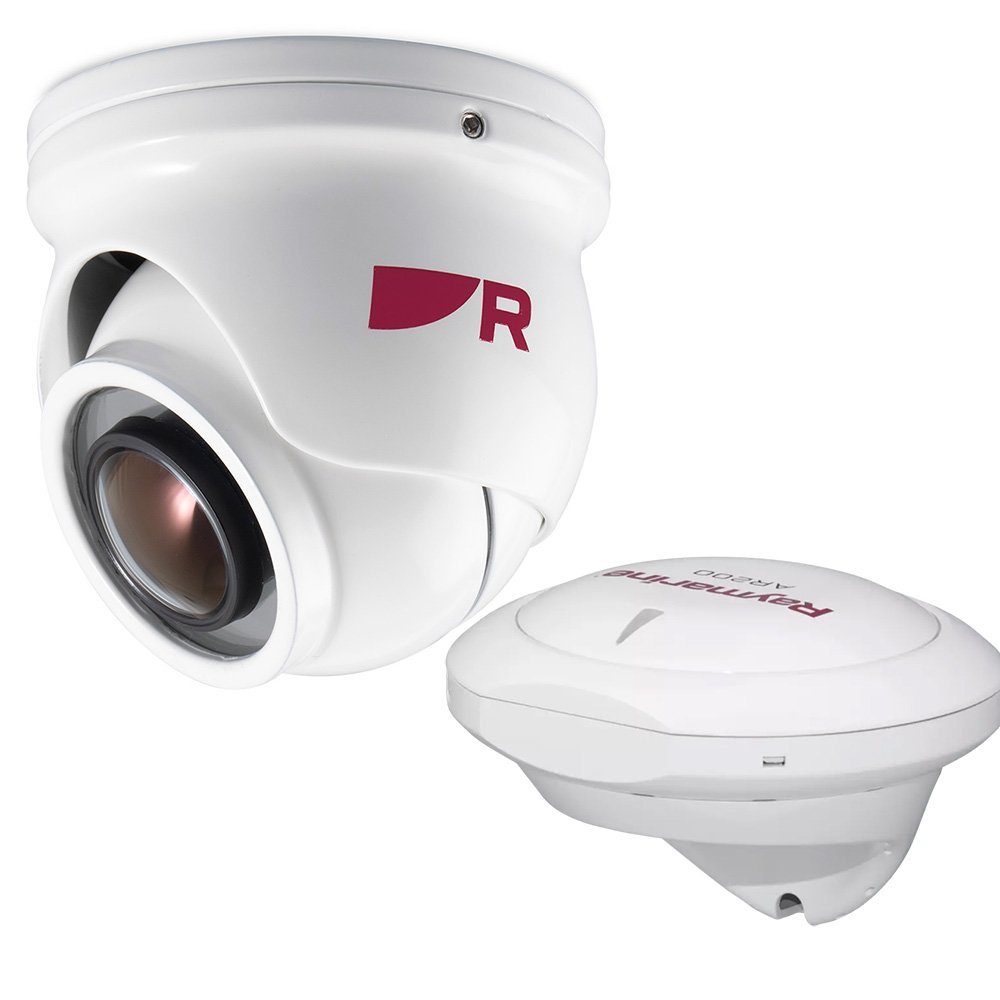
The Raymarine Augmented Reality Pack combines a CAM300 camera with an AR200 sensor for compatible Raymarine systems. This package supports camera-based navigation overlays, helping operators relate visible objects to vessel movement and improve situational awareness during route monitoring and maneuvering.
Raymarine Augmented Reality Pack - CAM300 Camera and the AR200 Specs
| Brand | Raymarine |
| Model Name | Augmented Reality Pack (CAM300 + AR200) |
| Part Number/SKU | T70535 |
| Technology Category | Augmented Reality (AR) Visualization System |
| Components | CAM300 IP Camera + AR200 Stabilization Sensor |
| Resolution | 1080p HD (CAM300) |
| Sensor Technology | AR200 9-Axis AHRS (Heading/Pitch/Roll) |
| Features | ClearCruise™ AR Overlay, Target Tracking, Waypoint Display |
| Integration | Raymarine Axiom Series MFDs |
| Connectivity | RayNet / SeaTalkng |
| Standard Warranty | 2-Year (3-Year with Registration) |
Common Question of Raymarine AR Pack
What components are included?
The Raymarine augmented reality pack includes a CAM300 camera and AR200 sensor. The combination supports compatible Raymarine camera overlays using video and vessel sensor information. Confirm supported displays, software, network connections, calibration, mounting orientation, and power requirements before commissioning the augmented reality pack.
What does the AR200 sensor provide?
The AR200 supplies sensor information used by compatible Raymarine augmented reality functions. When paired with the CAM300, it can support navigation-related overlays on the camera view, subject to display and software compatibility. Verify calibration, heading data, GPS information, mounting, and network configuration for accurate AR navigation overlays.
What camera technology does CAM300 use?
The CAM300 is a mini day-and-night eyeball IP camera included in the pack. It provides networked video for compatible Raymarine electronics, while its adjustable eyeball design supports aiming during installation. Confirm low-light performance, Ethernet requirements, power, display support, and field of view before day-and-night IP imaging.
You must be logged in to post a review.


Reviews
There are no reviews yet.